
ClockQ - Digital Clock Widget - Get APK
You'll be able to download in few seconds.
Publisher Description
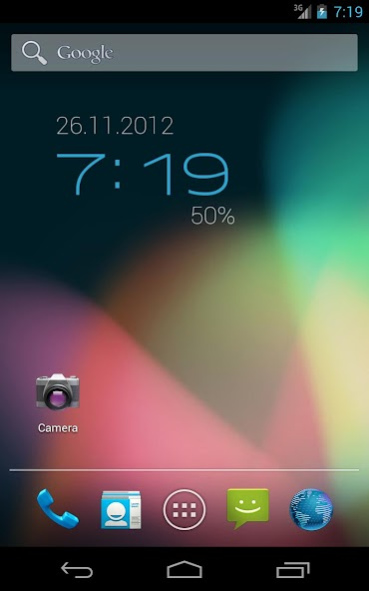
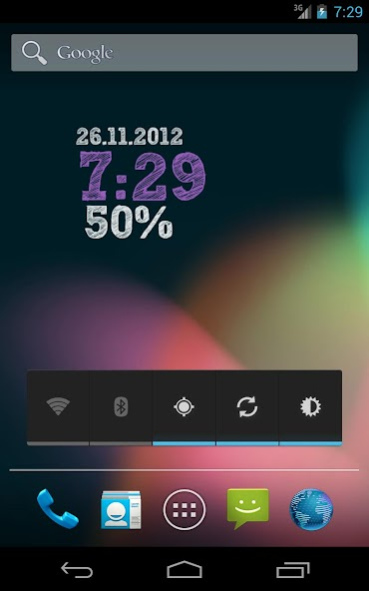
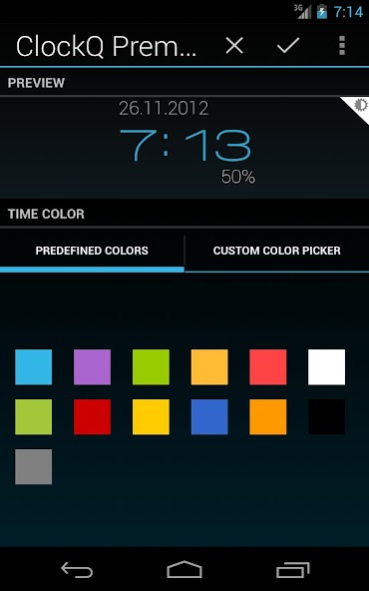
Simple digital clock widget for your homescreen. The power of this widget is in variety of customization options.
Features:
- Choose between 26 GREAT FONTS (38 for Premium users)
- 4x2 and 2x1 widgets
- Custom colors
- Transparency option
- LAYOUT EDITOR - move, rotate and scale widget elements (Premium users)
- Rotation option
- Scale option
- Shadow effect
- Show date function
- Show AM/PM
- 24h/12h option
- Tap to open custom application
- Weather information °C/°F
- Battery level info (Premium users)
- Lockscreen support (Android 4.2 and higher)
- Tablet UI
- Holo theme, colors and fonts
Test the application at https://www.appsurfer.com/apps/19154-clockq-premium
Analog Clock Version:
See ClockQ Analog (http://play.google.com/store/apps/details?id=cz.kinst.jakub.clockqa)
This application contains Advertisment.
TO REMOVE ADVERTISMENT AND GET MUCH MORE FEATURES, PLEASE UNLOCK
AD-FREE PREMIUM VERSION
INSIDE APPLICATION
The widget can be added to your homescreen by long-tapping on the homescreen or selecting from widget drawer (Android 4+).
NEW:
Widget can be added to your lockscreen on Android 4.2+
NOTE:
If you are experiencing cropped text, press menu and select Reset Settings.
NOTE:
Please do not move the app to SD-card. The widget can't be shown after that.
Internet permission is needed for downloading weather information.
Widget settings is accessible from your launcher as ClockQ application.
NOTE:
If your clock stops updating, exclude ClockQ from task-killer.
NOTE:
If you have trouble with installing (package-sign problem), uninstall previous version and install again from market.
Please, help me translating this app to your language. You can do it by going to http://www.getlocalization.com/clockq/
Please send me your feedback: apps@kinst.cz
About ClockQ - Digital Clock Widget
The company that develops ClockQ - Digital Clock Widget is Jakub Kinst. The latest version released by its developer is 1.0 .
To install ClockQ - Digital Clock Widget on your Android device, just click the green Continue To App button above to start the installation process. The app is listed on our website since 2015-01-26 and was downloaded 0 times. We have already checked if the download link is safe, however for your own protection we recommend that you scan the downloaded app with your antivirus. Your antivirus may detect the ClockQ - Digital Clock Widget as malware as malware if the download link to cz.kinst.jakub.clockq is broken.
How to install ClockQ - Digital Clock Widget on your Android device:
- Click on the Continue To App button on our website. This will redirect you to Google Play.
- Once the ClockQ - Digital Clock Widget is shown in the Google Play listing of your Android device, you can start its download and installation. Tap on the Install button located below the search bar and to the right of the app icon.
- A pop-up window with the permissions required by ClockQ - Digital Clock Widget will be shown. Click on Accept to continue the process.
- ClockQ - Digital Clock Widget will be downloaded onto your device, displaying a progress. Once the download completes, the installation will start and you'll get a notification after the installation is finished.
Program Details
System requirements
Download information
Pricing
Version History
version
posted on 2015-01-27
version
posted on 2015-01-26
3.2.1,Fixed font scales,Fixed free fonts becoming paid,3.2,Material Design,Weather bug fixed
version 1.0.2
posted on 2011-04-15
Several fixes and updates
Disclaimer
External Download
We do not host ClockQ - Digital Clock Widget on our servers. We did not scan it for viruses, adware, spyware or other type of malware. This app is hosted by Galad and passed their terms and conditions to be listed there. We recommend caution when installing it.
The APK Download link for ClockQ - Digital Clock Widget is provided to you by apps112.com without any warranties, representations or guarantees of any kind, so access it at your own risk.
If you have questions regarding this particular app contact the publisher directly. For questions about the functionalities of apps112.com contact us.
